SYnergy A time and attendance terminal
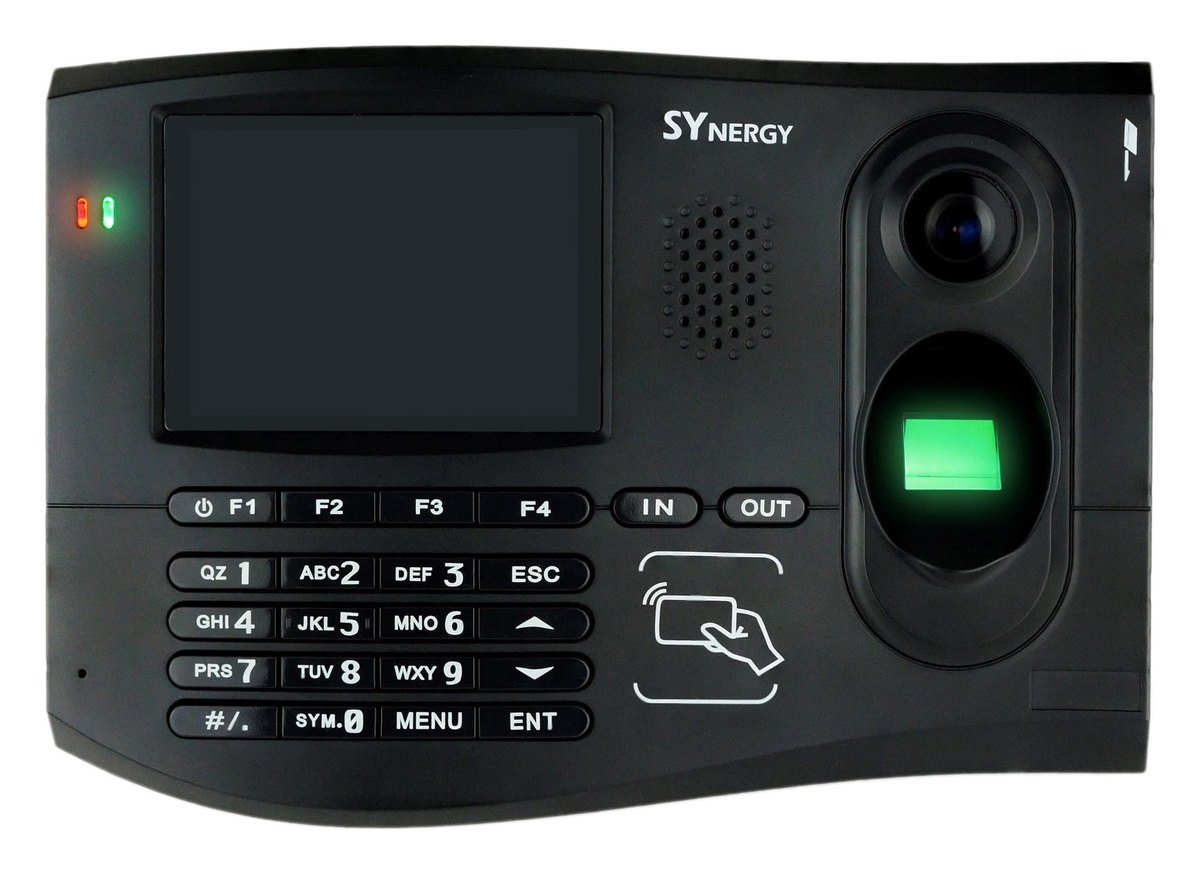
A smart terminal that does more at the door: punches, job and department transfers, access control and a photograph of every clock-on. Fingerprint, PIN or card verification on a 3.5-inch colour display with a keypad.
- Fingerprint, PIN or card — or fingerprint paired with a PIN, a card or the camera
- A built-in camera photographs each punch, so a disputed shift has a picture attached
- Function keys for transfers, so job costing is captured as it happens
- Relay output drives a door, a gate or a shift bell from the same unit
- Punches poll automatically into TA100 or Genesis, or come off on a USB stick where there is no network
The terminal for sites where the punch carries information
A clock that only records in and out is enough for a single-shift office. On a floor where people move between jobs, departments and cost centres during a shift, the terminal has to capture that as it happens.
The SYnergy A has a 3.5-inch colour display and a keypad — not a touchscreen. Function keys mean a transfer is a couple of presses at the door rather than a note reconstructed on Friday. Verification can be a fingerprint, a PIN, a card, or a fingerprint paired with a PIN, a card or the camera where the site wants the extra certainty.
It reads the card technologies most Australian workplaces already have in circulation — proximity (EM), Mifare, magnetic stripe and barcode — which matters when staff already carry a site access card and nobody wants to issue a second one.
A photograph of every punch
The built-in 1.3 megapixel camera captures an image at the moment of clocking. It settles the arguments that biometrics alone do not: not "was this fingerprint used", but "who was standing at the clock". For a disputed shift, the record has a picture attached to it.
One unit, one relay: doors and bells
The relay output drives a door strike, a gate or a bell. So the terminal that records the shift can also let people in — and on a factory floor it can ring the shift bell as well, with the pattern set in Bell Control on the software side rather than by a caretaker with a timer. It also supports Wiegand external readers, so an existing reader on the far side of a door can feed the same unit.
Sites without a network
Where there is no cabling and no wireless worth relying on — a remote shed, a temporary site, a depot the network never reached — punches come off the terminal on a USB memory stick and load into the software from there. It is not the way most sites run, but it means a site without a network is still a site you can pay accurately.
SYnergy A at a glance
| Model | SYnergy A — the variant Reset sells |
|---|---|
| Verification | Fingerprint · PIN · fingerprint with PIN · card with fingerprint · camera with fingerprint |
| Fingerprint capacity | 3,000 templates standard, up to 10 per employee · 10,000 templates optional |
| Reader options | Proximity (EM) · Mifare · magnetic stripe (track I/II) · barcode (Code 39, 2 of 5, Code 128) |
| Display | 3.5″ colour TFT LCD, 320 × 240, backlit — keypad operation, not a touchscreen |
| Camera | Built-in 1.3 MP — photo captured at the punch |
| Connectivity | 10/100 Ethernet (TCP/IP, HTTP/HTTPS) · RS-232 / RS-485 · USB · offline transfer by USB memory stick |
| Wi-Fi | Optional, via adaptor — not built in |
| Outputs | Relay output for bell or door control · Wiegand 26/34/37 external reader support |
| Record capacity | Up to approx. 676,000 attendance records (without photos) |
| Operating environment | 0 °C to 50 °C · 10% to 90% humidity |
| Dimensions | 210 × 145 × 48 mm · wall mount |
| Backup battery | Maintains the real-time clock, approx. 5 years |
| Software | TA100 (Pro and SQL) · Genesis (Pro and SQL) |
| Certifications | CE · TÜV · FCC · RoHS |
Source: Reset's own SYnergy Product Manual, checked against current stock units.
Part of the full system
Genesis
Job, step, operation and task transfers from the terminal's function keys land straight in the cost structure.
Genesis and job costingSY-910
Where hands are wet, gloved or dirty, a facial terminal is the better door — fingerprints struggle in those conditions. It also has Wi-Fi built in, where the SYnergy A needs an adaptor. Sites commonly run both.
SY-910 detailsReplacing a TA785
SYnergy is the modern equivalent of the older fingerprint and proximity terminals still in service.
TA785 support