Time clocks and attendance software that put paid hours in line with time on site.
Punches you can trust, award rules that run themselves, and Australian-based support when you need it — from the company that's kept Australian time since 1964. Late stays late. Unapproved overtime stops before payroll.
One site or twenty. New system or an upgrade. Keep the clocks that still work — we'll tell you what to replace, and what not to.
No obligation and no obligatory demo. Need it sorted now? Call 1800 623 301.
Punch. Rules. Payroll — with the leaks closed.
- Punches on a clock, PC or browser — no paper timesheets.
- Records cut both ways: nobody's paid for time not worked — and you can prove everyone was paid for the time they did.
- Unauthorised overtime stops at the supervisor, not in the pay file.
- Your award, rounding and penalties applied automatically — before payroll sees a number.
- Clean hours export to most Australian payroll systems — plus Excel, or a custom export we build to your format.
- Face, badge or PIN — so the person at the door is the person being paid.
- 1 · AssessWhat you already have — clocks, software, payroll, sites.
- 2 · QuoteOnly what you'd actually change. Keep what still works.
- 3 · Install & set the rulesClocks, rounding, OT, supervisor approvals.
- 4 · First pay runWatched with you, so the first file out the door is clean.
Inherited a system nobody supports — or a wage file you don't trust?
We pick these up every month: the vendor wound down, a clock died, mates are punching each other on, or the one person who understood the rules left. We'll assess what you're running, keep what still works, and quote only what needs changing.
- Wage leakageYou're paying for time that wasn't worked. Late starts, early finishes and unapproved overtime get through because punches are informal or someone else clocks them on.
- Vendor goneYour supplier stopped answering. We support systems whose original vendors no longer exist.
- Clock deadA terminal failed and staff are on paper. We move fast on a replacement and carry your data across, so payroll keeps moving.
- Outgrown itNew sites, new awards, new payroll. We migrate your data and your rules, not just your hardware.
- No recordsNobody knows how it was set up. We reverse-engineer the configuration and document it properly.
Nerang Park Poultry came across to Reset after our previous service provider went into liquidation. Reset made more progress in the one week, than they did in the 9 months – much appreciatedNerang Park Poultry — orphaned by a liquidated supplier, now a Reset customer
Which software fits your workplace?
Both calculate Australian pay rules automatically and export to most Australian payroll systems — MYOB, MicrOpay, Attaché and dozens more — plus Excel, or a custom export defined for your payroll. The difference is how much rule complexity your workplace carries.
TA100
Clean, capable time and attendance for workplaces with standard shifts and rounding.
Approvals sit in front of payroll, so overtime is a decision, not a surprise.
- Automatic timecard calculation and approvals
- 75+ built-in reports
- Direct payroll export
Genesis
Everything TA100 does, plus the machinery for complex workplaces.
Same control of paid time, with extra room for complex shifts, job costing and premiums.
- Job costing and labour transfer tracking
- Complex shifts, differentials and premium rules
- Benefit and leave accrual management
Not sure which — or coming off something else entirely? Tell us your pay rules and how people clock on now. We'll say which fits, in plain terms.
Tell us what you're runningClocks that take a knock
Built for factory floors, kitchens and packing sheds. Clocks feed the software above — no re-keying punches into payroll.
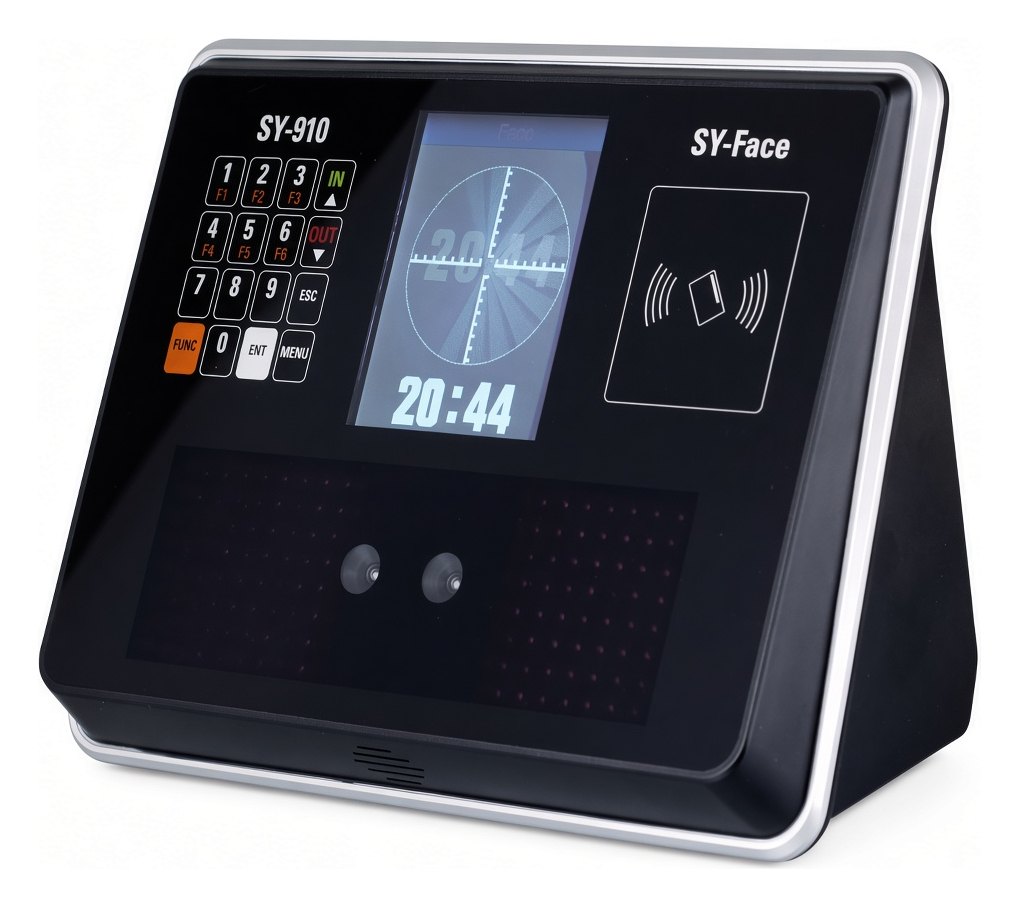
SY-910
Look-and-go in under a second. The face at the door is the person being paid — no card passed through the fence. Badge or PIN if face doesn't suit the site.
SY-910 details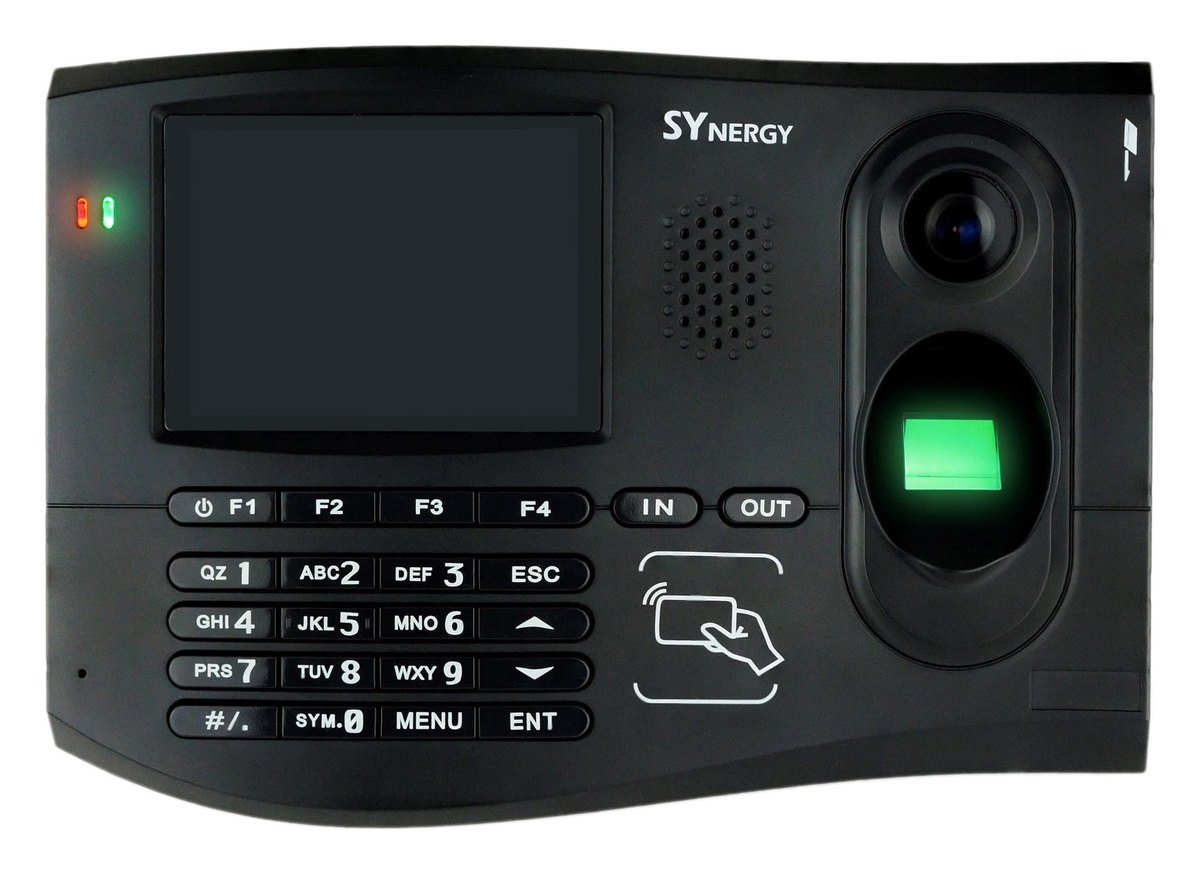
SYnergy
A smart terminal that does more at the door — punches, job transfers and access control on one unit, with fingerprint, card or PIN verification, a 3.5-inch colour display and a keypad.
SYnergy details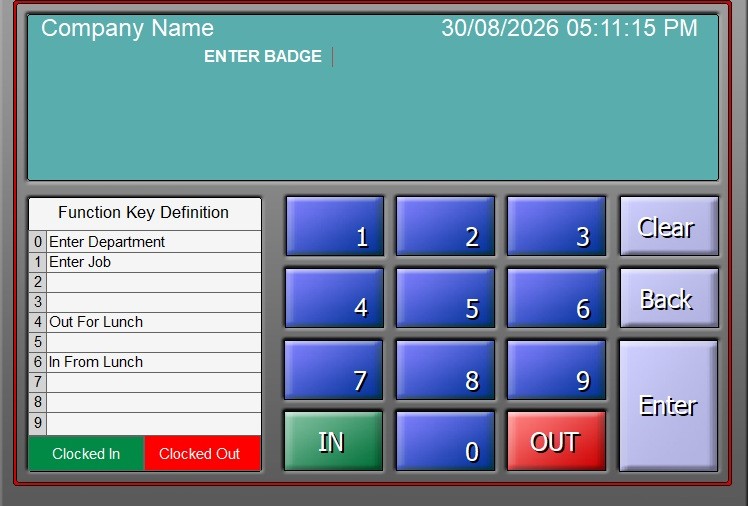
PC Clock & WebClock
Software clocking for desks and browsers, matched to your software edition — same rules, same audit trail as a wall clock. Suits offices, remote sites and crews that never walk past the door.
Software clock detailsRunning a HandPunch, TA785 or another older Reset clock? Still supported — and when one retires, we'll match its modern replacement.
Supported legacy clocksTuned to how your industry actually pays
Manufacturing
Late starts, early finishes and unauthorised overtime inflating the wage bill? Real punches and supervisor sign-off stop hours nobody approved from reaching payroll.
See how it works hereAgriculture
Seasonal crews and harsh sites chewing through timesheets? Rugged clocks and fast onboarding handle a workforce that doubles at harvest.
See how it works hereRetail
Multi-site rosters reconciled in spreadsheets? Every store's punches in one system, with award rules applied the same way at every site.
See how it works hereHealth & aged care
Around-the-clock rosters with penalty rates to get exactly right? Night, weekend and public-holiday rules calculated automatically, every pay run.
See how it works hereSupport from the people who installed the thing
When something needs attention, you talk to an Australian technician who knows your system — not a chatbot, not an offshore queue.
Most calls are about the software, not the hardware — a pay rule that needs changing, a payroll export that needs re-mapping, a report nobody can find.
- Coaching on pay rules, shifts, differentials, overtime and payroll setup
- Help with payroll exports when your payroll system or its format changes
- Phone and remote support, 9–5 weekdays AEST
- Clock diagnostics and connectivity help — often fixed remotely, without the unit leaving the wall
- Priority in the repair queue when a clock does fail; parts and repair labour quoted separately
- Annual Reset Care, or casual per-incident support
Get help now
Need help now? Call Reset Care, or start a remote session with your technician's code.
1800 033 853Tell us what you're running.
We'll tell you what we'd do.
New system or an upgrade — list the clocks, software or payroll you have (or that you have none). We'll say what's supported, what we'd keep, and what we'd change. No obligation.
Complete single-site systems from $2,950 + GST — TA100 software (50 employees, upgradeable), one SY-910 facial recognition clock, programming to your pay rules, online training, and 12 months of phone and remote support. Multi-site and Genesis quoted to your setup.
- A technician reads it — not a call centre, not a lead-qualifying script
- No obligatory demo — a straight recommendation and a price
- Start with one site, or one door — keep any clocks that still work
- What's in the quote: hardware, software, setup and support options — no surprise extras buried later